Sumer is only a tool
Buying into a proprietary modular system can be like selecting a data boss who dictates how you should run your business. The boss might explain that there so many nuances to your data that they require specialized modules that you need to add on... blah-blah-blah...
That's nonsense. It's all the same data. There is no difference, for instance, in data between a small cafe and a sit-down restaurant. But they do have different needs for forms and reports, and breaking down forms and reports is raw meat to modular software marketing.
Sumer presents a variety of form and report templates in the library that anyone can reconfigure to their own needs. Sumer is just a tool, not a dictator. The templates are open-source. Other Sumer clients can contribute to the library.
Sumer's aspiration is to see that the best source of information for SMEs about how to use and configure forms and reports will become other managers in a community of SMEs.
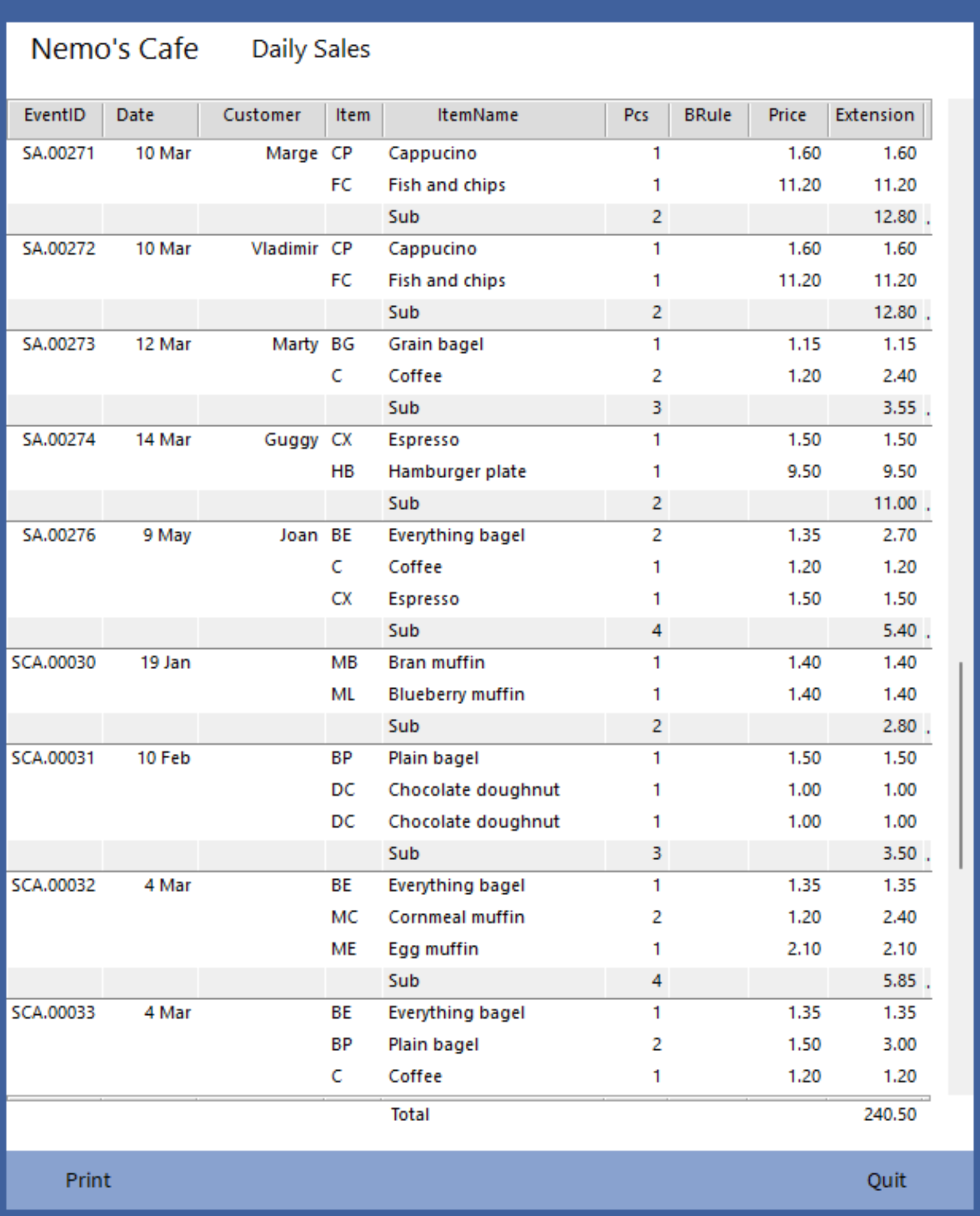
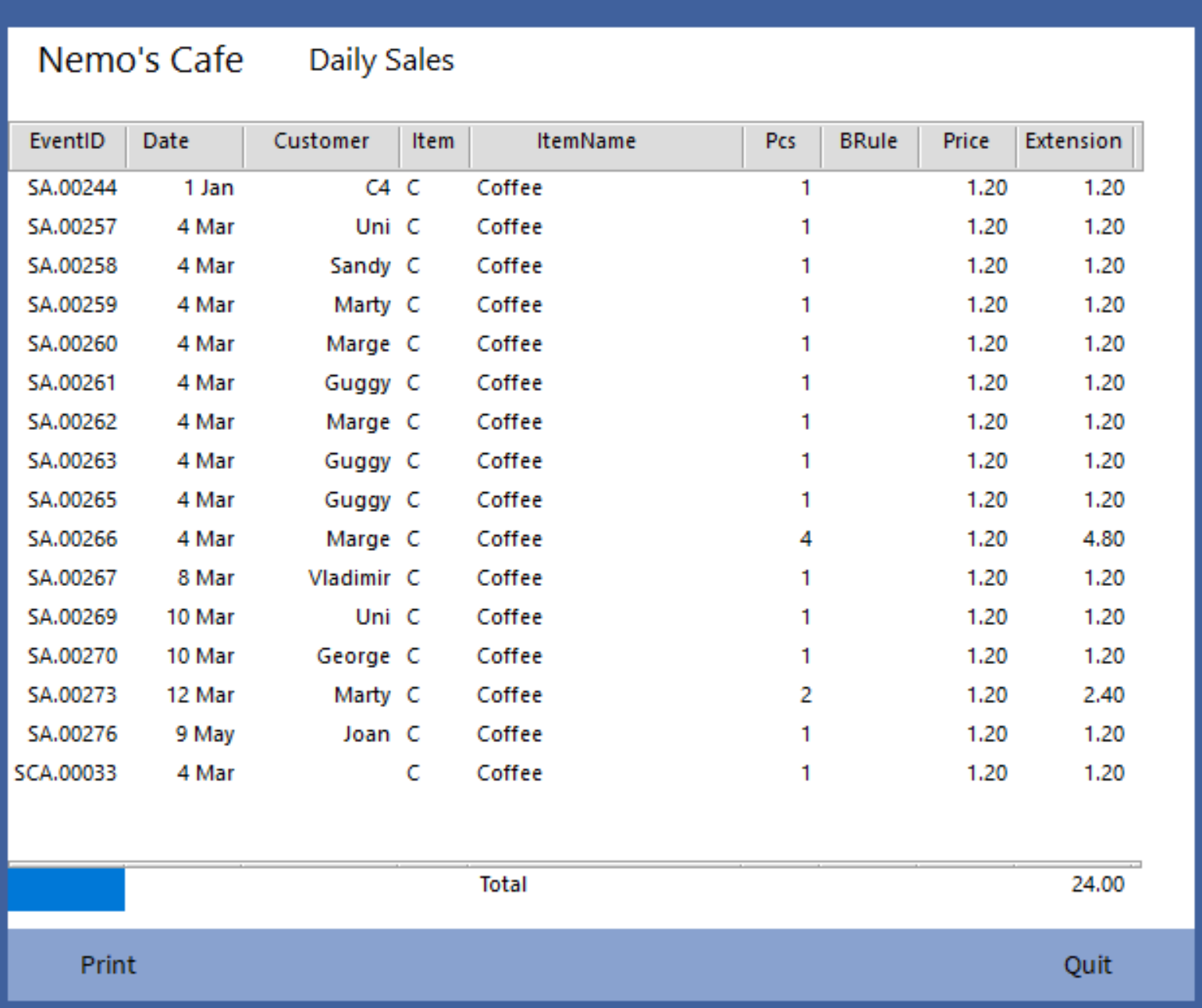
A simple report
This Cafe Sales report includes SubTotals. Alt-click on specific values applies instant filters.
A graphic layout form
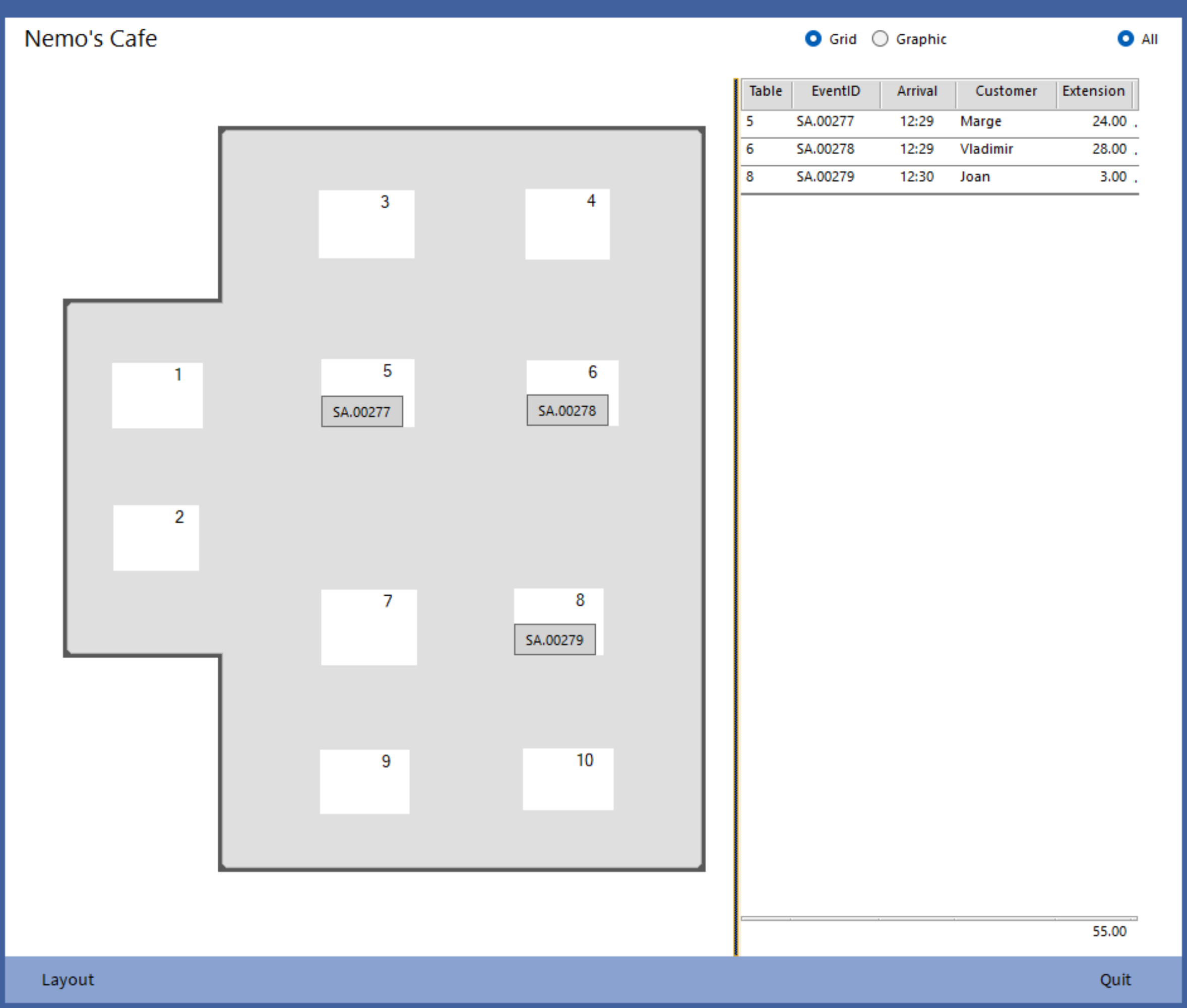
A table layout helps organize cafe operations with open dockets.
The background is an image file. Images could represent a restaurant, a concert hall, an exhibition hall, a hotel, a campground, or anything else that might hold dockets or names.
The tables here can be shapes or images. They can be rearranged by dragging with the 'Layout' button.
Click a docket number to access the underlying entry form.
A graphic entry form
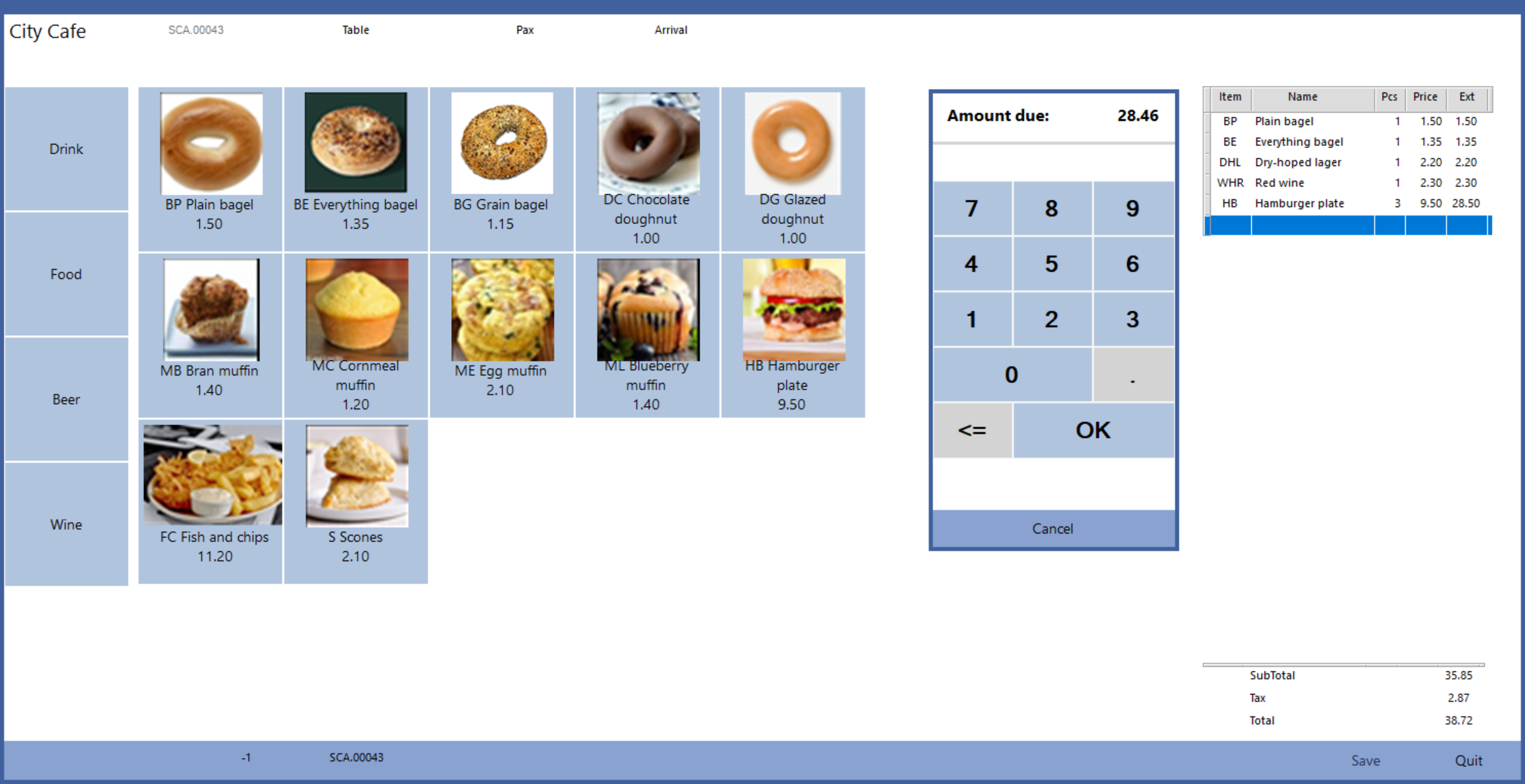
A graphic interface speeds orders.
The Layout form above can switch between the usual grid layout or this graphic style, here coupled with a POS panel.
(Remember the 'MenuCategory' column in the Price List on page 1? That's where that first button group 'Drink, Food, Beer, Wine' comes from. So does the second group, by filtering for 'MenuCategory'.)
A graphic entry time form
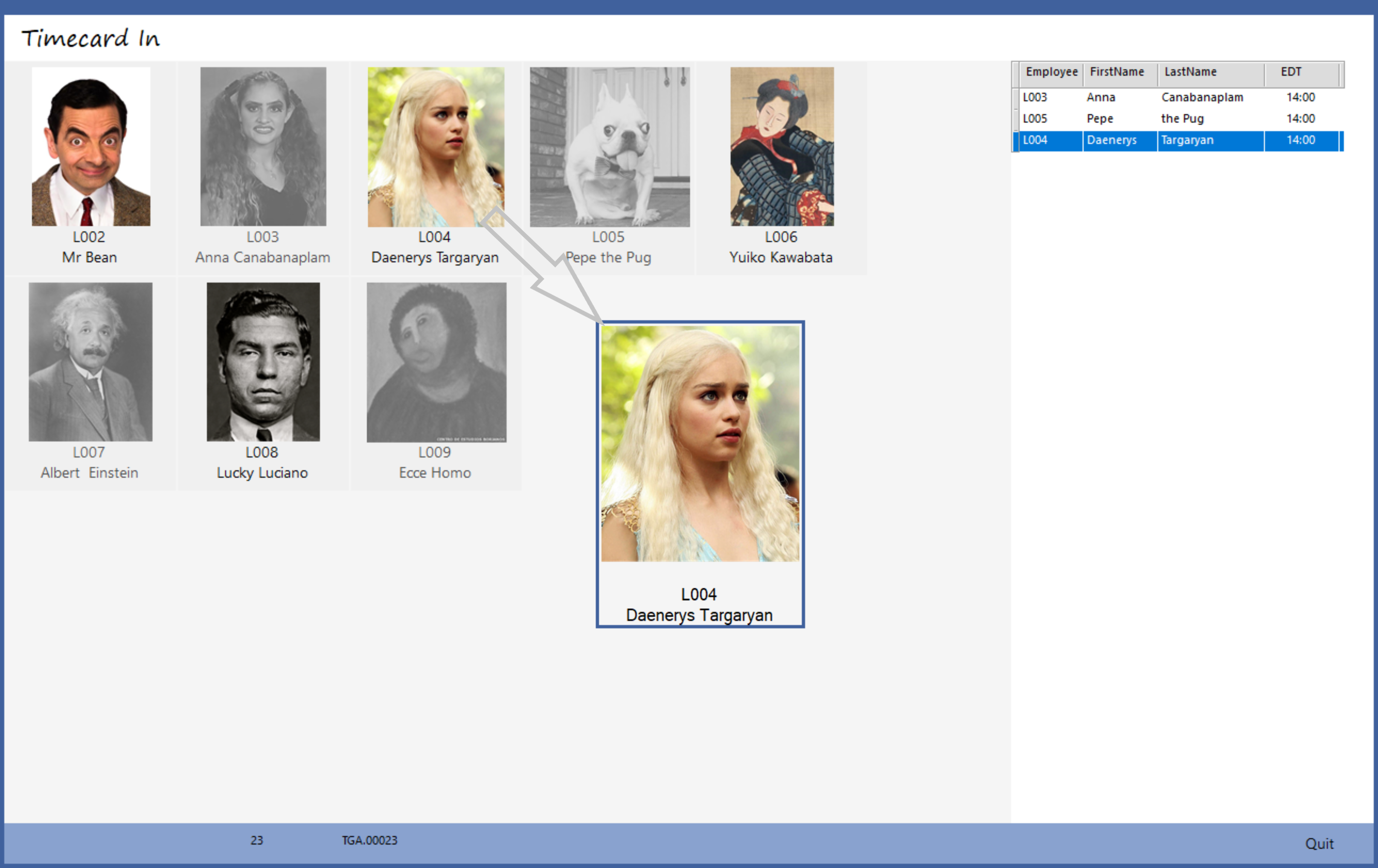
A graphic Timecard helps track employee hours.
This form can represent anything with Check-In / Check-Out time spans, like equipment rentals.
The grayed out buttons mean already Checked-In.
Rota and Gantt charts
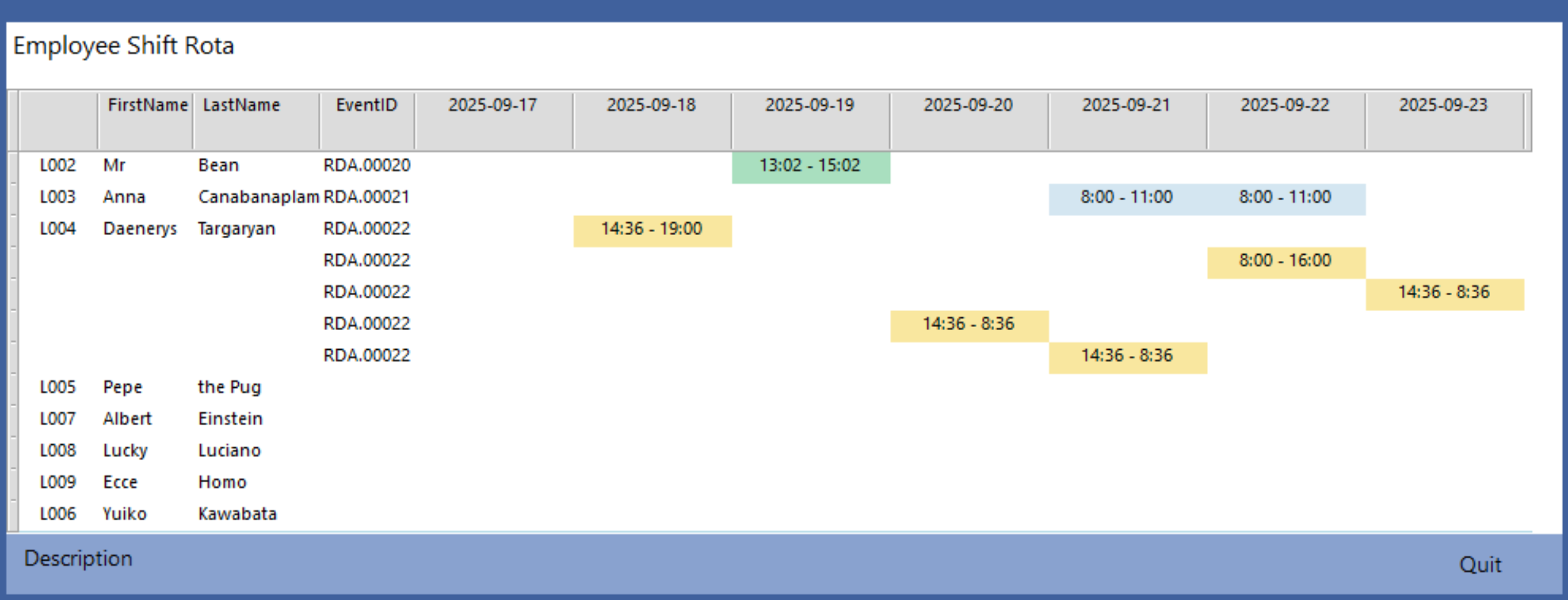
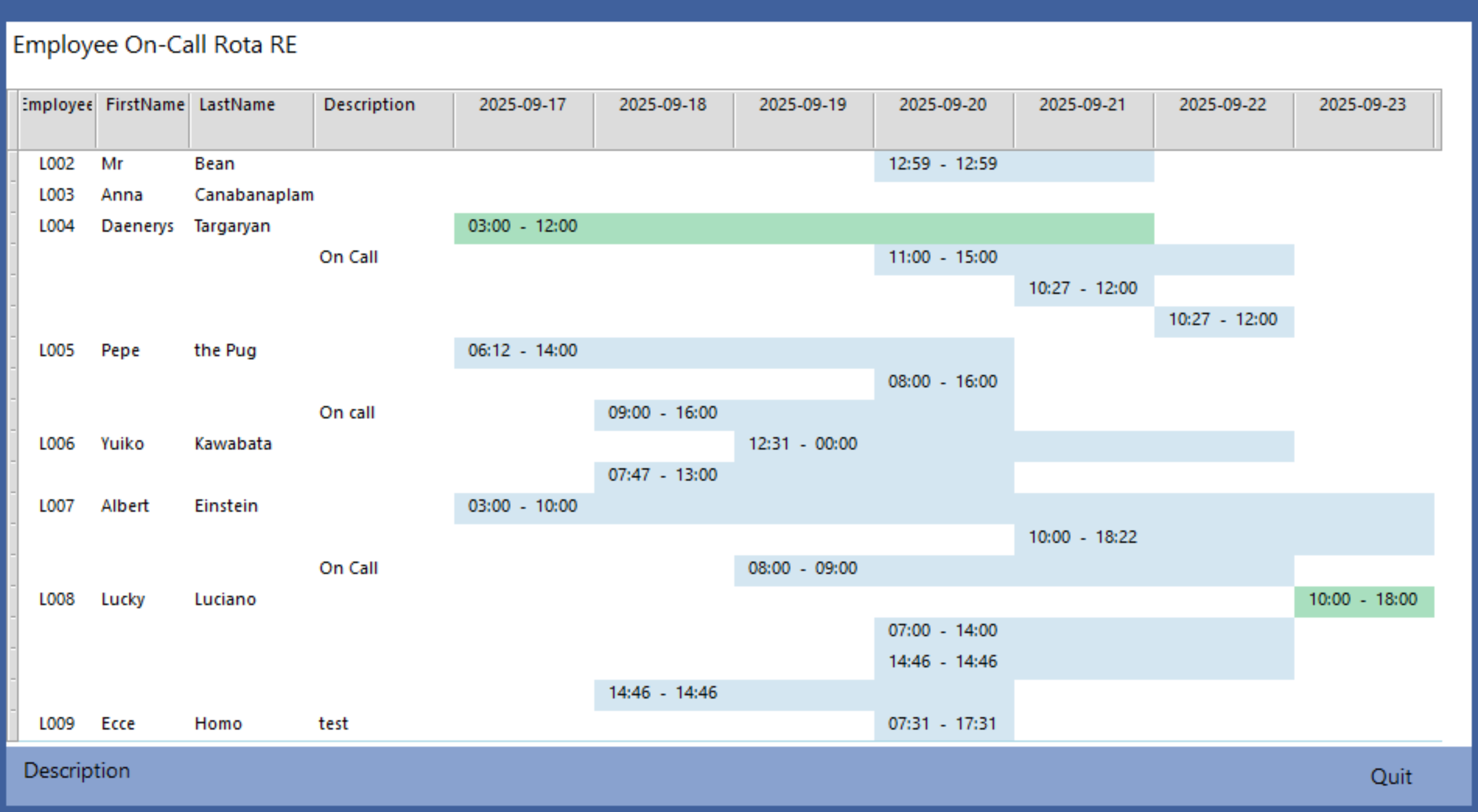
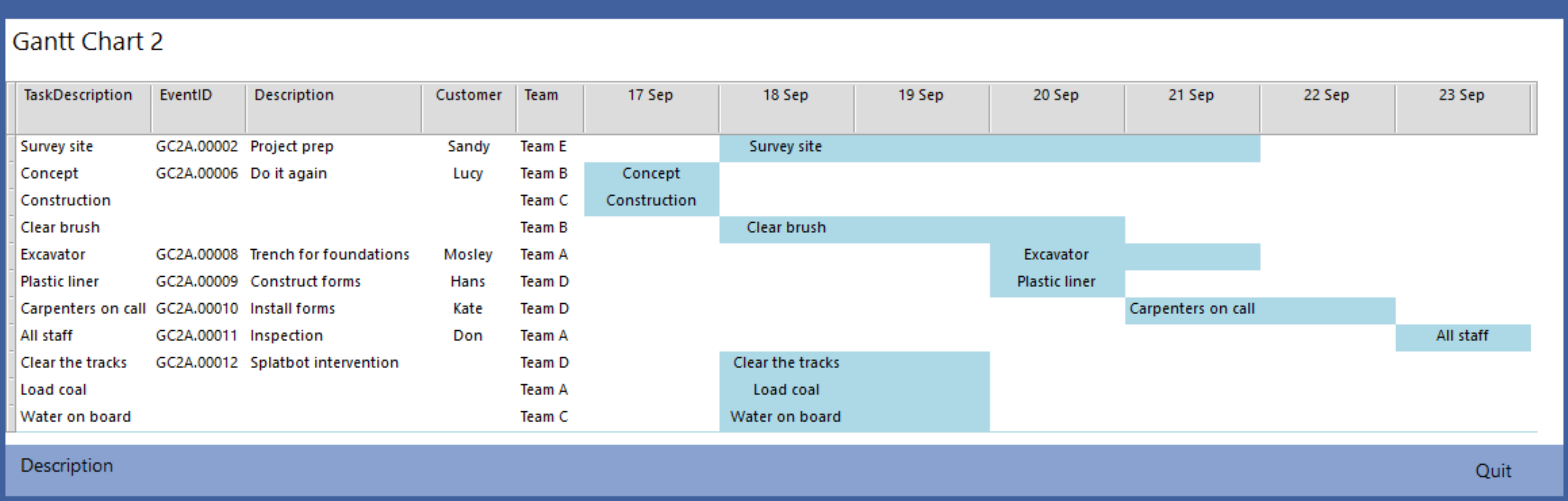
Rota and Gantt charts are based on a single form with a variety of parameters. Like with everything in Sumer, different templates use different parameters, and all are under your control.
Dates and times can be adjusted or duplicated with drag and drop.
Colors can represent status like 'On Call', 'Requested', 'Approved', 'Completed', and so on.
Click an event bar to access the underlying entry form.