Building Sumer applications
The easiest way to build a Sumer application is by adding existing paper-based or spreadsheet-based forms and reports as you get around to them; there is no need to start everything at once.
Start with Price or Employee or Product lists; use Copy and Paste if you already have them in spreadsheets. You can add more lists and items later.
Set up events like Purchases and Sales with temporary settings while you continue your old systems. When you are satisfied with the results you can switch into Sumer.
Add Inventory and Accounting whenever you need it.
Reports can be added anytime. You can't mess up with reports because they never affect the underlying data, they only report on what is already there.
Sumer applications can grow over time as you discover more templates to help you achieve what you need to do.
And...
apply Themes whenever you feel like it. Themes are fun, but they can express your business image or allow employees to express their individuality. Keep themes plain if you want, or add some color and attitude.
Here are some examples of applications.
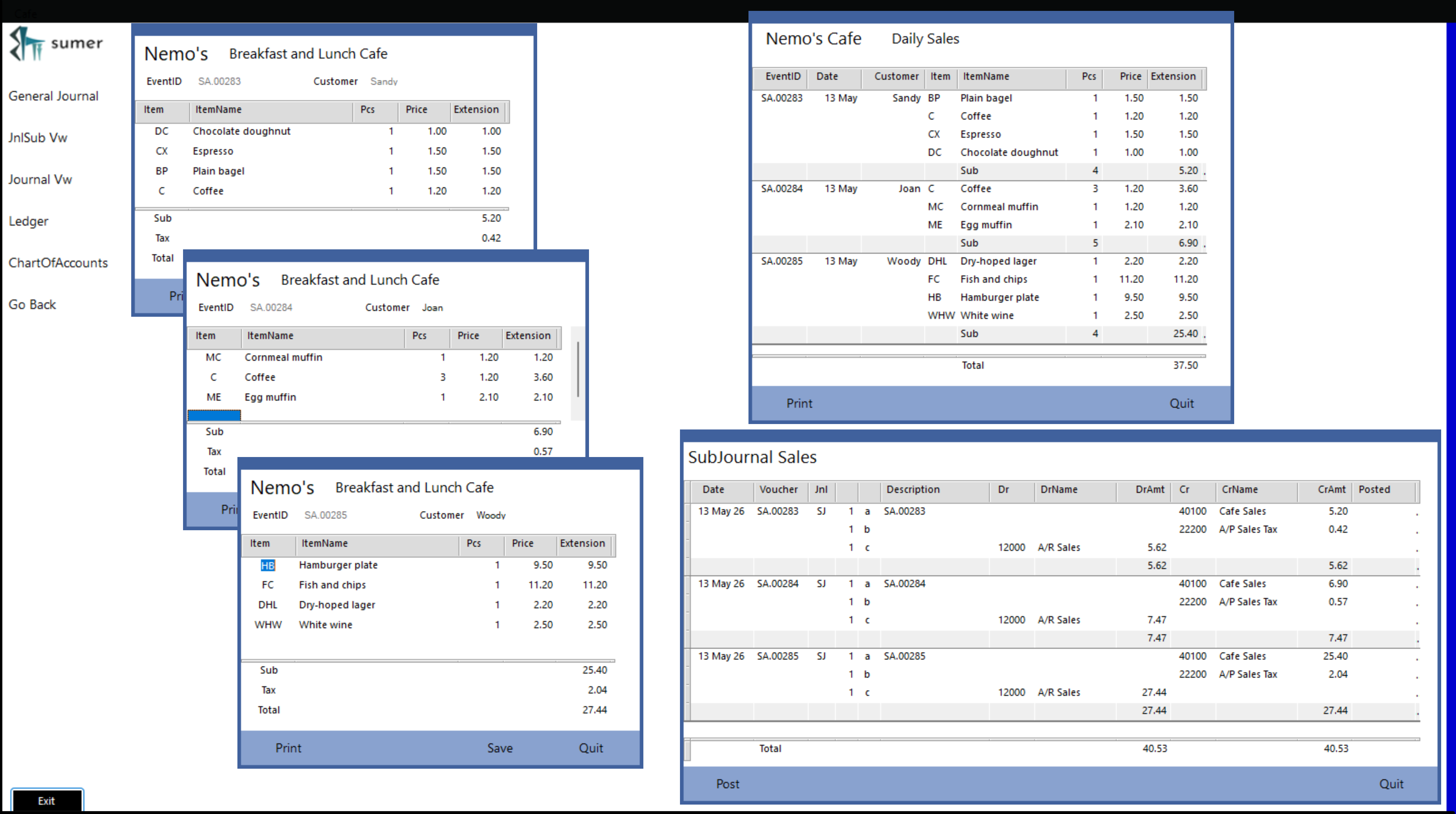
A breakfast cafe tracks sales
Cafe Sales invoices post automatically into a Daily Sales report and into Daily SubJournal Sales. (Remember, the first page of this website showed how.)
The 'Post' button on SubJournal Sales will post all today's sales as a single entry into the Accounting system.
If you already have a bookkeeping application, you can simply copy daily totals into the existing system. Eventually you might want to switch over to Sumer's accounting, but it is not necessary if you are happy with another system.
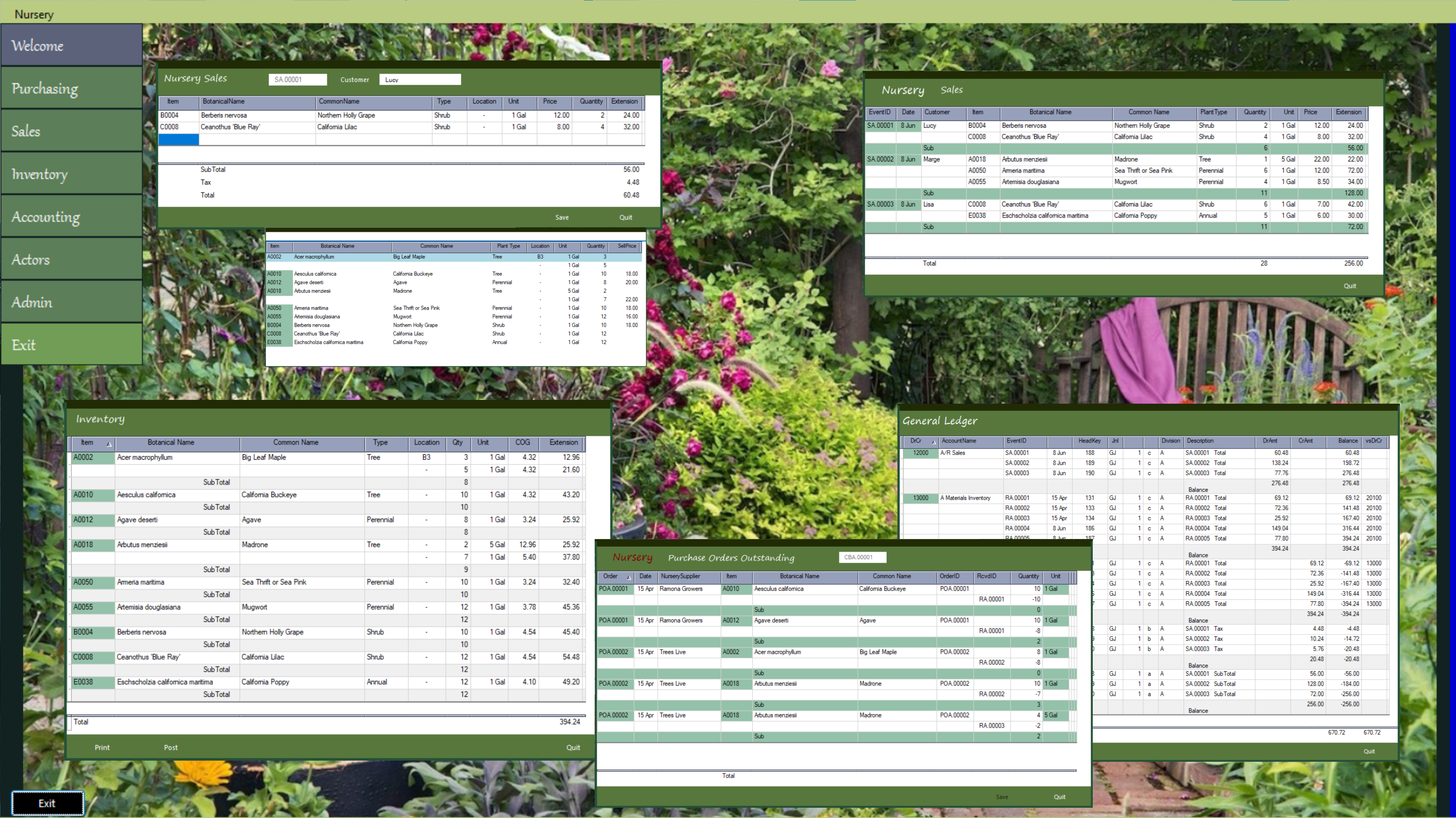
A wholesale nursery handles a complex inventory
This wholesale nursery automates Purchase Orders, Receiving, Inventory, Sales, Accounting and more, but they have a complex inventory: a single Item (SKU) can have different sizes with each size a different price, and they need to track storage locations for each item as their stock may be scattered over many acres.
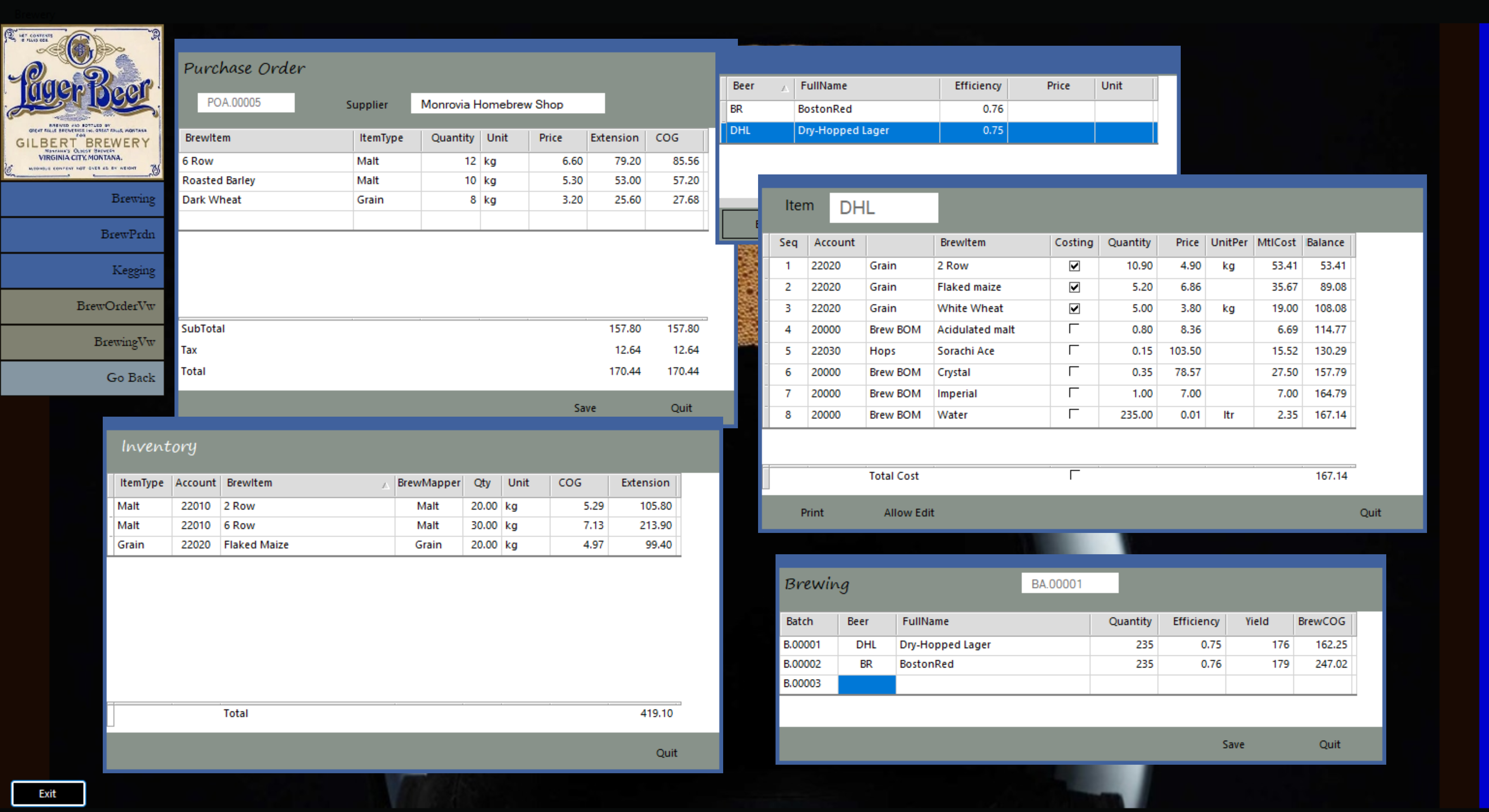
A craft brewery tracks inventory and costing based on brew recipes.
This craft brewery places Purchase Orders, tracks Receiving, uses a Bill of Materials to automatically update Inventory in Brewing, posts Inventory value to Accounting at End-Of-Period, tracks Kegs by batch and with customers, operates a dining room and kitchen, and manages staff using forms and reports developed from Sumer templates.
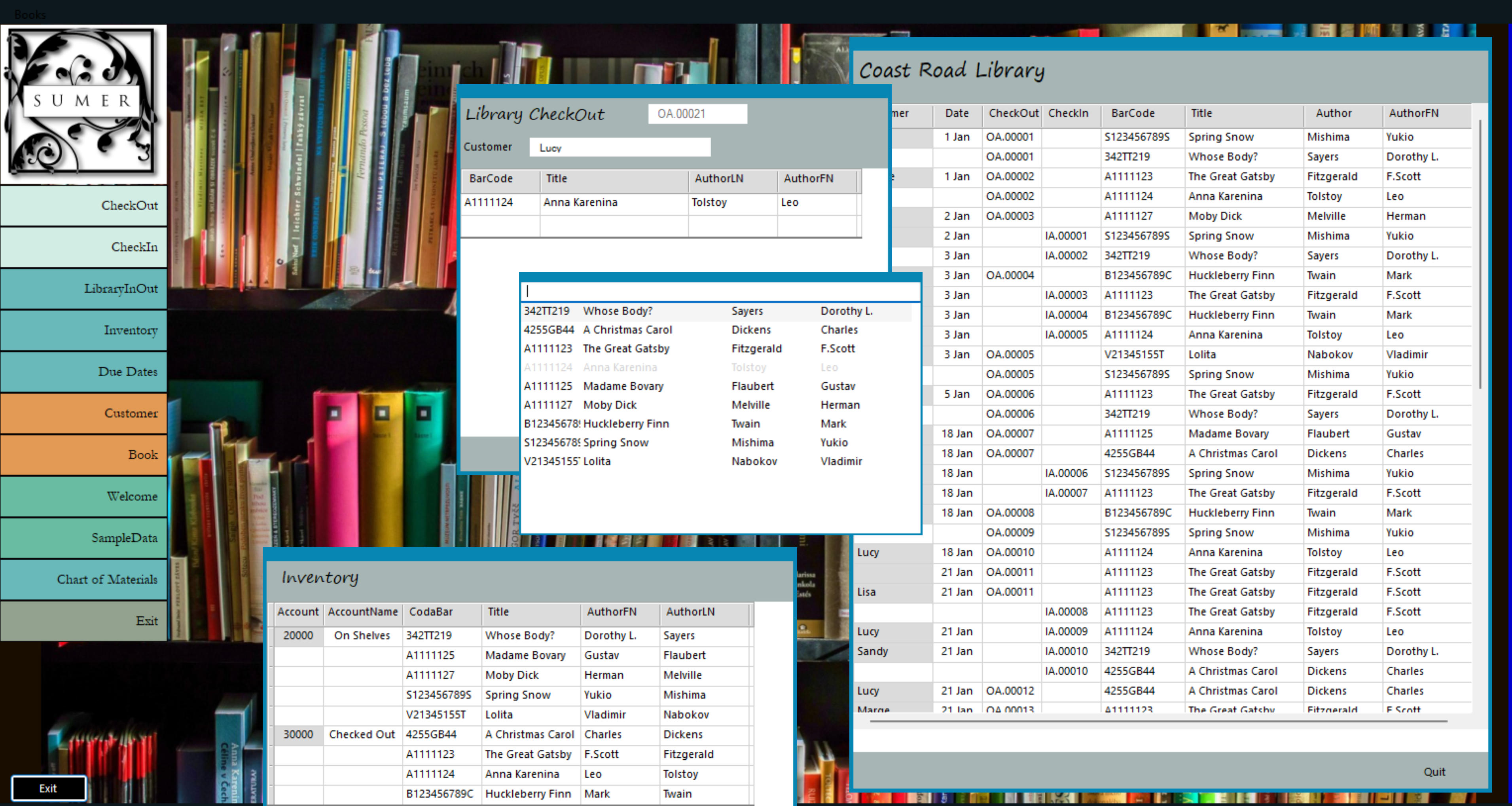
A library needs to know who checked out each book and when
This library tracks books, check-outs, check-ins, due dates and everything else a small library needs.
A garment manufacturer needs to control costing and process flow
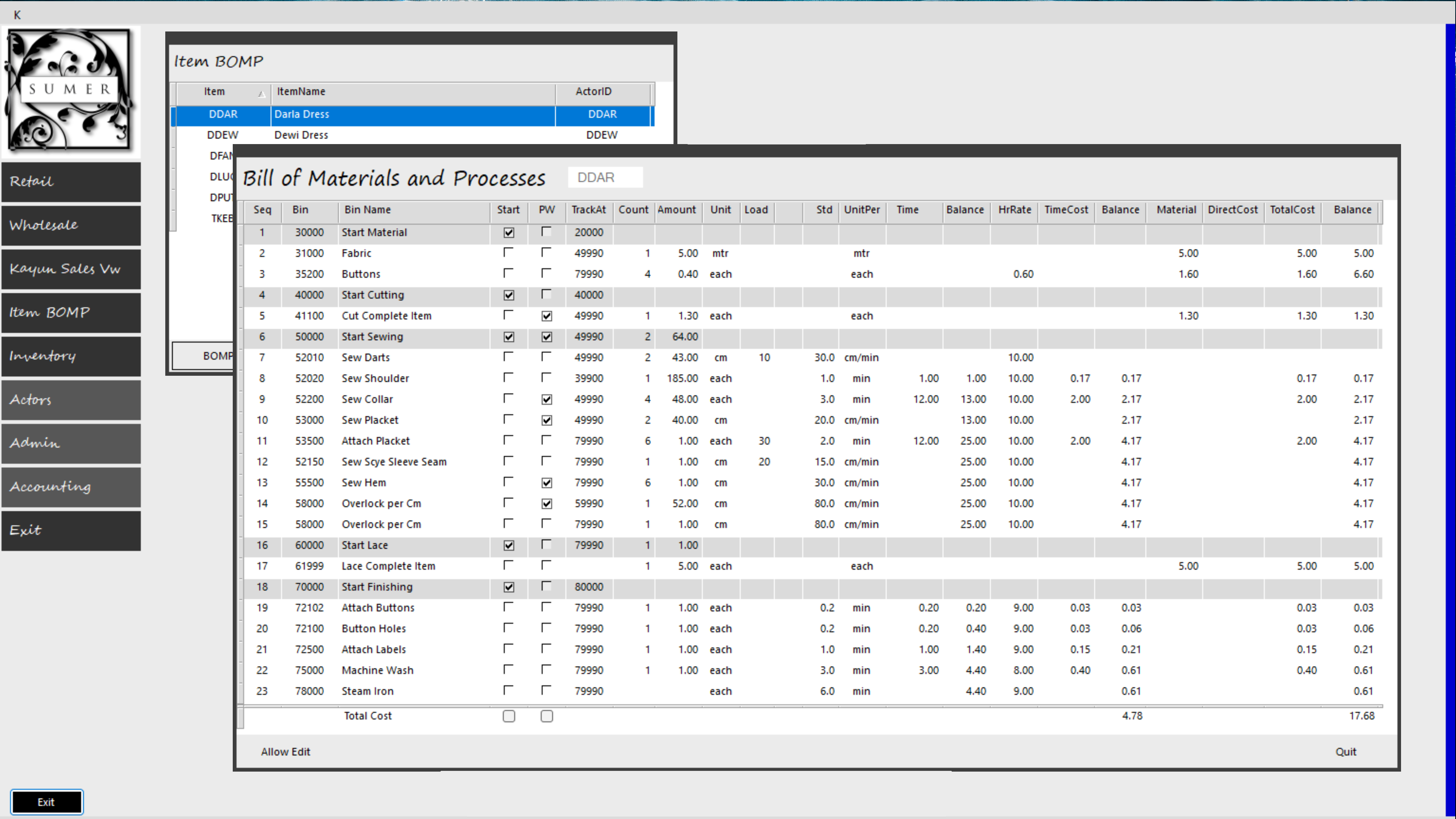
This garment manufacturer goes beyond the simple receipe used by the craft brewery to track material and labor costs with standards for each step of production.
The 'PW' column means 'Piecework'' incentive pay. Other forms can look up this information to apply the Piecework incentive automatically into each worker's wages. 'TrackAt' allow inventory flush-back for materials and labor.
Breaking processes into production stages allows management to track how many units of each production run are in any given department in real time.
Costing shows that this garment includes
- 6.60 for Material
- 1.30 for Cutting
- 5.00 for Lace Handwork
- 4.78 for Other Labor
for a total of 17.68 Total Garment Production Cost.
For many manufacturers the accurate control of costing and process standards is crucial.
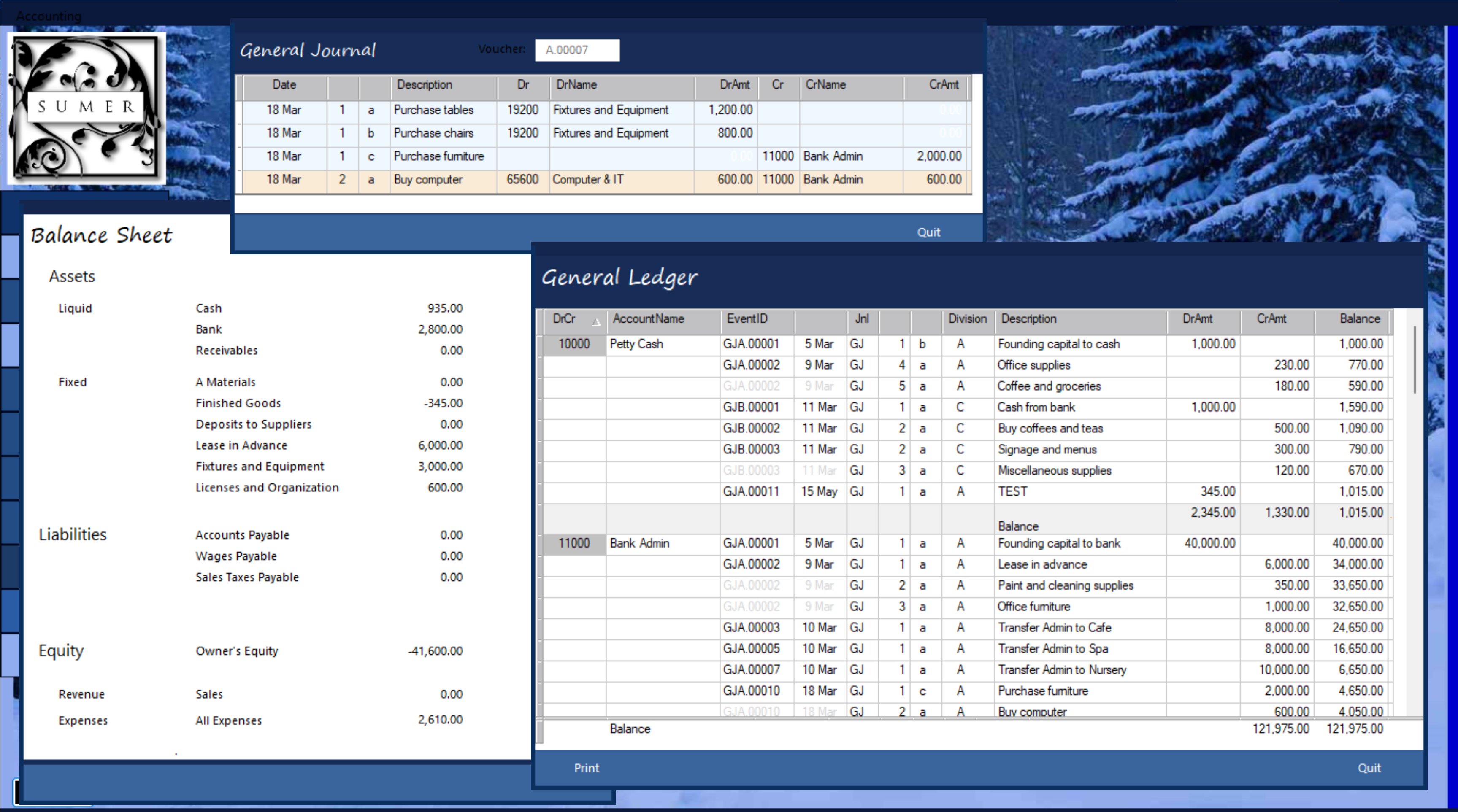
Accounting is necessary to every business
Accounting forms and reports can be pulled into any application directly from library templates.
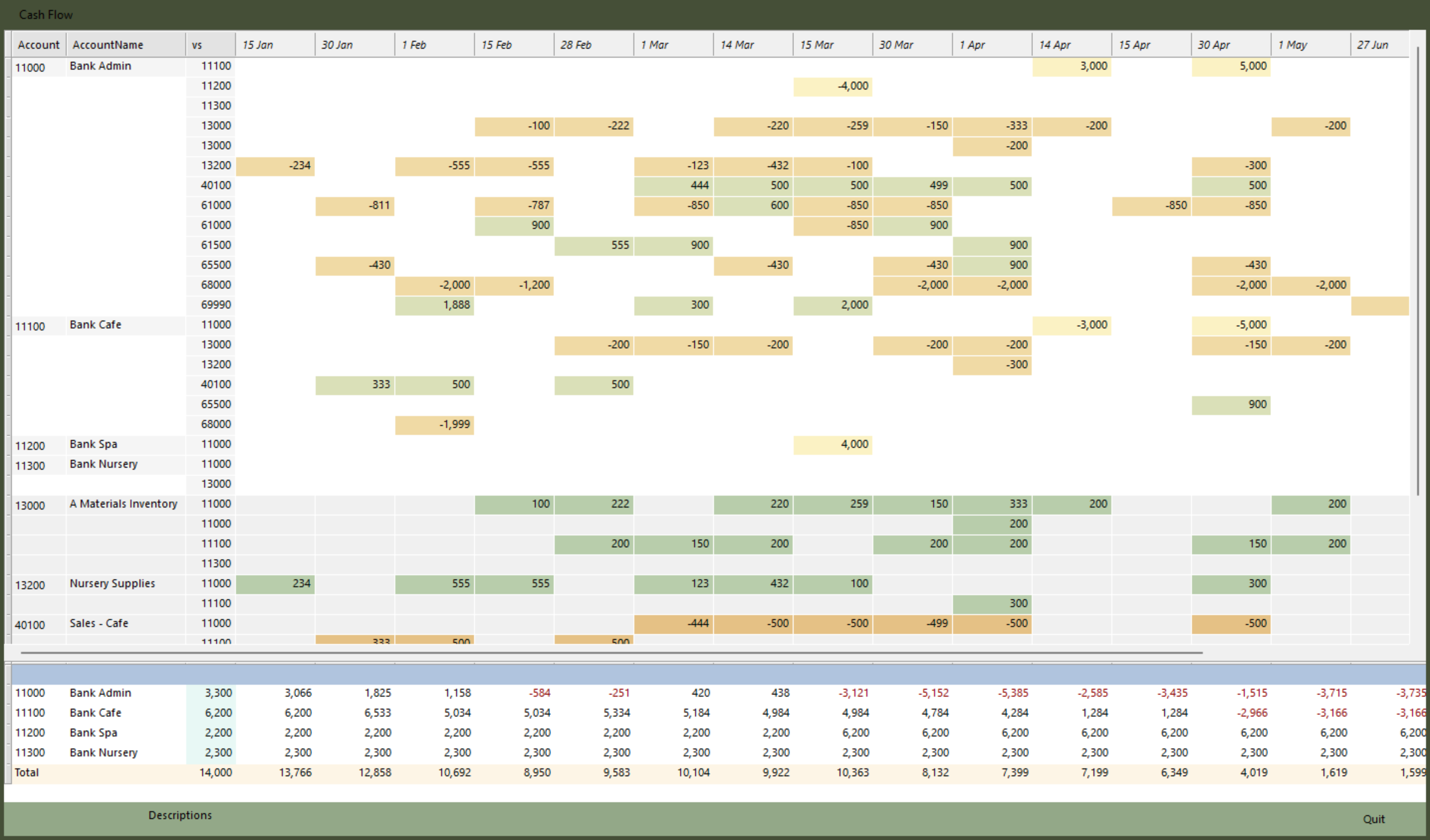
Cash Flow is an essential tool
Imagine a business that relies on the holiday season for most of its profits. Accounting may show profit, and inventory is ready for the busy season, but if you run out of cash you will never make it to the holidays.
Cash Flow is important enough that it should never be an add-on option; it is too easy for cash-strapped businesses to ignore it because it is too difficult or to cut expenses by trying to get by without it.
Sumer's Cash Flow uses drag-and-drop to move each in-flow / out-flow pair together. It is easy and it is free.